


How SingleKey’s ID Verification works
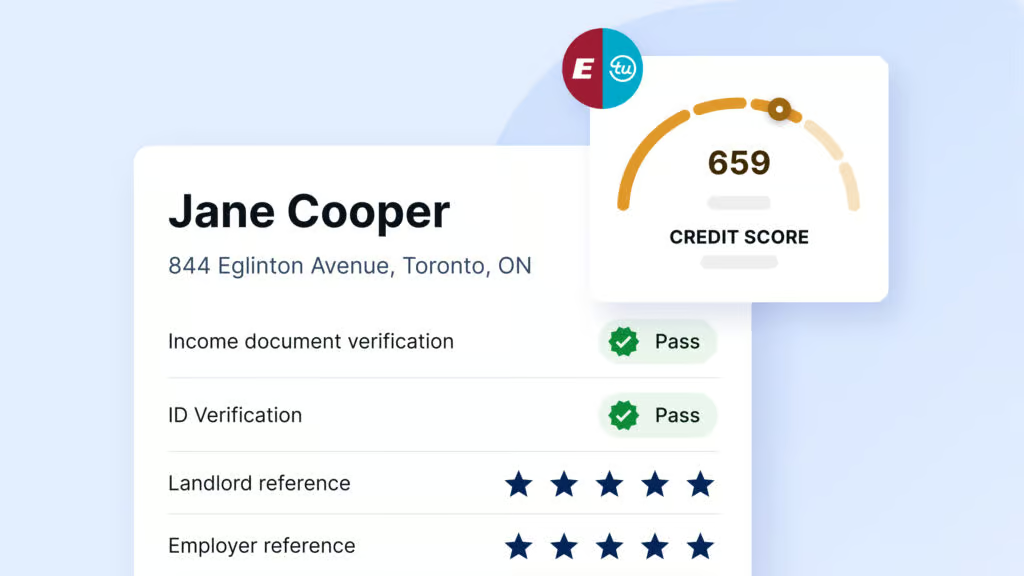
SingleKey’s ID Verification is automatically part of our Tenant Report, a comprehensive document that details a tenant’s personal and financial history to help you decide whether they’re a good fit for your rental.
Below, we break down step by step how the ID Verification tool works in practice.
Step 1: Complete the rental application
To confirm their identity using SingleKey’s ID Verification, the potential tenant must first complete our online application form. You can send them a request to complete the form via email when ordering your Tenant Report.
Some of the fields in the application form are optional, while others are mandatory, as shown below. SingleKey cross references the self-reported data with third-party sources to ensure that information is reported correctly.

Once the tenant finishes and submits the application form, the following page will appear, asking them to verify their identity using a photo ID:

The tenant begins the ID verification process after clicking the “Begin verifying” button.
Step 2: Choose the ID’s country of origin
A new page will appear, where the tenant must select the country where the ID was issued.
Step 3: Select the ID type
Next, the tenant must upload one piece of government-issued photo ID. They can select from several ID types, including a passport, driver’s license, and health insurance card.

Depending on the ID type, they’ll need to provide a photo of both the front and back of the document. They can take a picture using the in-app camera or upload an image from their computer or other electronic device.

For this step, it’s essential that each image appears in good lighting and that all the lettering and bar codes are visible, as shown below:


The tenant can retake photos as needed to get the desired results, as the ID Verification system will reject images that aren’t clear enough to read. Once complete, they can click “Use this photo” to move to the next step.
Step 4: Take a selfie
Here, the tenant takes a selfie, which SingleKey’s ID Verification will compare with the government ID they submitted in the previous step.

After clicking the “Get started” button, a new page will appear with a camera asking the tenant to look straight into the camera and then move their face left and right. The camera will capture photos of their face from the front and sides.
Step 5: Submit ID Verification details
That’s it! Now, all the tenant has to do is click the “Done” button to submit their ID Verification details for biometric evaluation. SingleKey will handle all the work behind the scenes and deliver the results to you when they are ready.

How to analyze the ID Verification results
SingleKey will run a series of checks to determine whether the ID provided by the tenant is legitimate. Once complete, you can view the results by logging in to your SingleKey account and selecting the Tenant Report you ordered. Here are the details you can review:
- Name match. Indicates whether the name on the ID matches the name on the rental application.
- Date of birth match. Indicates whether the date of birth on the ID matches the date on the rental application.
- Valid ID. Indicates whether the ID is authentic or a possible fake.
- Valid selfie. Indicates whether the selfie is authentic or a possible fake.
- Selfie matches photo ID. Indicates whether the individual in the selfie matches the individual in the ID.
SingleKey’s ID Verification will mark each category above as “pass” or “fail,” depending on the analysis results. Naturally, those classified as “fail” are potential red flags and require investigation to determine whether fraud has occurred.
Our final thoughts
Identifying fraud is an ongoing problem in the rental industry. SingleKey’s ID Verification can spot the warning signs of identity fraud by checking photo IDs for evidence of tampering or forgery. The process takes only minutes to complete, with rental applicants only needing to provide one piece of government ID and a selfie. Once SingleKey evaluates the images’ authenticity, the results will appear immediately in your Tenant Report for viewing.
Knowing how to spot a fake ID is one way to avoid getting stuck with a troublesome tenant, but there are others. Learn more about how SingleKey protects landlords against rental fraud.
Learn more about Tenant Screening Report

