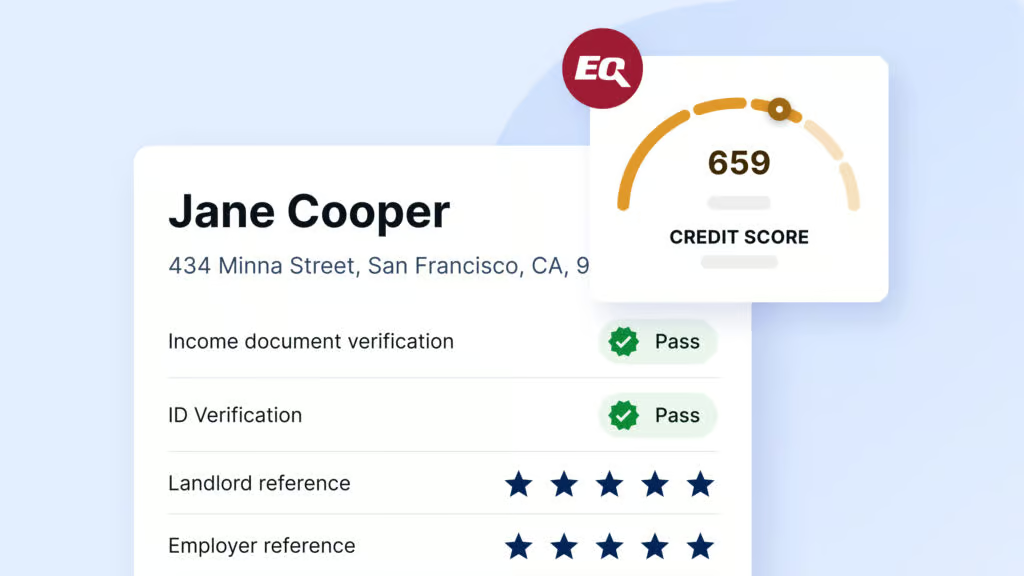
Pre-screening rental applicants is a quick and effective way to gather essential information before investing in a full credit report. It helps landlords save time by identifying promising candidates early in the process. With SingleKey’s free pre-screening tool, you can collect basic details from prospective tenants using a customizable form—all before diving into a full […]
Love using SingleKey’s Tenant Reports? Now you can share the benefits with your friends—and get rewarded while you’re at it! With our Refer-a-Friend program, you and your friend will each receive one FREE Tenant Report when they create a SingleKey account using your referral link. How to Refer a Friend: Log in to your SingleKey […]
Yes! If you originally created your SingleKey account using Google Authentication, you can continue to log in effortlessly using the “Log in with Google” button on the login page. If you’d prefer to use a traditional email and password instead of Google to log in, you can easily make the switch within your account settings. […]
SingleKey’s eLease tool offers a fast, secure, and legally compliant way to sign rental agreements online. While it simplifies the process, there are a few important things to know about how eLease works—especially when it comes to time limits, making updates, and legal restrictions. Here are the top questions we receive from landlords and property […]
Gone are the days of printing, scanning, or waiting for tenants to meet in person. With SingleKey’s eLeasing, everything happens online—faster, safer, and more organized than ever before. Here’s how it works: Step 1: Auto-Fill Lease Details Effortlessly Start with a professional lease template tailored to your province (e.g., Ontario Standard Lease).Automatically populate fields using […]
While SingleKey is not a traditional property management company, we offer a suite of powerful tools designed to simplify and streamline the rental process for landlords, property managers, and real estate professionals. What We Offer Our platform focuses on helping landlords manage key aspects of their rental business without taking over full management responsibilities. Here’s […]
In a major step toward enhancing the rental experience for landlords and property managers across Canada, SingleKey acquired Naborly in 2022. This strategic move brought together two of the country’s most trusted names in tenant screening, creating a unified platform built to deliver even more value, protection, and peace of mind. What This Means for […]
Whether you own one property or manage multiple units, renting comes with risks. That’s where SingleKey steps in. Our platform allows landlords to: Screen Tenants with in-depth background and credit checks Evaluate Risk using detailed tenant profiles and rent-to-income ratios Protect Their Investment through our industry-leading Rent Guarantee program Why It Matters Landlords deserve confidence […]
At SingleKey, we’re committed to supporting you every step of the way. Our Customer Success Team is available throughout the week to assist you via phone, live chat, and email. Support Hours Monday to Friday: 8:00 AM – 7:00 PM EST Saturday: 10:00 AM – 2:00 PM EST Sunday & Holidays: Closed How to Reach […]
SingleKey is proudly a Canadian company headquartered in Toronto, Ontario. While our roots are in Canada, we serve landlords, tenants, and property managers nationwide. In addition to our full suite of services across Canada, we also offer select services in the United States to support our growing North American customer base. Whether you’re managing properties […]
With SingleKey, managing tenant details is quick and easy. You can view existing tenant information, add new tenants, or archive records you no longer need—all in one place. Follow the steps below to view or manage tenant information: Step-by-Step Guide Step 1: Log in to your SingleKey account and navigate to “Account Settings.” Step 2: […]
Managing your rental properties is simple with SingleKey. Whether you need to add a new rental unit, update an existing address, or archive a property you no longer manage, you can do it all in just a few clicks from your account dashboard. Follow the steps below to update or add rental units: Step-by-Step Guide […]